


Select A Store
Select Store
My Store:
Select A Store
Availability:
-
Online Only
$10.99
Overview
Overview
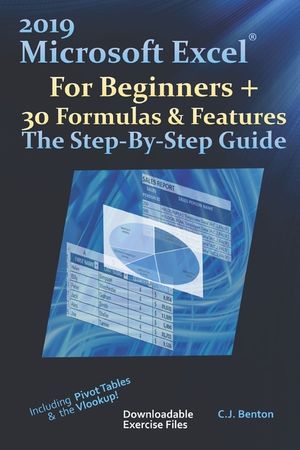
Learn Excel By Example - Updated for Office version 2019 Opening Excel and the Toolbar (Ribbon) Customizing the Ribbon & Quick Access Toolbar How to create and save a new spreadsheet The segments of a worksheet Printing tips How to add Headers & Footers to your spreadsheets Review of the various Copy, Cut, & Paste options Font & number formatting, including currency examples for the British Pound and Euro Inserting charts Conditional formatting Sorting & filtering data based on specific criteria Protecting workbooks & worksheets Sum (addition), Subtraction, Multiplication, & Division Average, Min, & Max Today, Now, & NetWorkDays d104, Len, Trim, Concat, & Mid The VLOOKUP with 2 step-by-step examples IF, SumIF, AverageIF, CountIF, & CountIFS How to create and format a Pivot Table And More
Ready to learn Microsoft Excel(R), but not sure where to start? This user-friendly and practical resource is tailored for beginners and will teach you how to navigate Excel and 30 of the most frequently used formulas & features. Each example includes step-by-step instructions with screenshots.
Organized into 3 step-by-step sections, allowing you to grow your knowledge of Excel at your own pace:
Exercise Files Included
Section 1 - Basic Commands
Section 2 - Toolbar (Ribbon) Navigation
Section 3 - Formulas
- Format: Trade Paperback
- Author: Benton, C. J.
- ISBN: 9781674846804
- Condition: New
- Dimensions: 9.21 x 0.34
- Number Of Pages: 160
- Publication Year: 2019
Language:
English